
YAVACADO turned our technical equipment catalog into a clear, professional website that our team can manage. The CMS and CRM integration make it easier to present products, process enquiries, and support clinics from the first contact.
4
min to read
Website Animation: Add Motion with a Clear Purpose

Web design
Web development
Explore all
February 16, 2026
Choose motion that explains state or sequence, preserve access to content and provide a reduced-motion experience that still works.
In this article
Reviewed 12 September 2026.
Motion can draw attention to a useful change, but it also asks for the visitor’s time and attention. Before adding an animation, describe what it helps the visitor understand. That purpose should guide its timing, trigger and fallback.
Give the movement a job
Useful motion can show that a menu opened, connect a control to its result or explain a sequence. A decorative movement may still suit the brand, but it should not compete with reading or prevent an action.
For a hypothetical video studio, a short visual transition can support the work’s character. The portfolio labels and contact route should remain available without waiting for a long introduction. Review the page with someone trying to complete a task, not only with someone watching it as a presentation.
Keep content available across states
Check the page before, during and after each animation. Important content should not remain hidden if a trigger fails. Consider what happens when a visitor arrives through an anchor link, resizes the window or returns to the tab after a delay.
Avoid relying on hovering as the only way to reveal essential information. Touch and keyboard use need their own clear paths. When a control opens content, its state should be understandable from more than movement alone. Text, shape and focus behaviour can help communicate what changed.
A motion review before launchMotionUseful purposeFallback questionMenu transitionExplain an opened stateIs the menu usable without the transition?Section revealGuide attentionDoes content remain available if the trigger fails?Process animationExplain orderIs the sequence also understandable in text?Decorative backgroundSupport visual identityCan it be reduced without losing meaning?
Provide a reduced-motion experience
The CSS prefers-reduced-motion media feature detects a user preference for reduced motion. Plan an alternative presentation rather than assuming every movement must be retained. Large spatial transitions can often become a simple state change.
Test the reduced version as its own experience. A sequence should still make sense and controls should remain responsive. The preference is not a reason to remove the information that the animation was meant to communicate. Keep the meaning, while reducing the motion needed to express it.
Review performance and maintenance together
Test the page on a representative mobile device with the real media assets. A smooth preview on a powerful desktop does not establish that the production page will feel equally responsive. Watch for delayed controls, excessive resource use and content shifts.
Document which component owns each interaction and how an editor can safely change its content. If a new headline breaks a carefully timed sequence, the design may need more flexibility. Motion works best when it supports the page after routine content changes, not only with the original demonstration copy.
Preserve the meaning of an interaction when you reduce its movement.
A related YAVACADO project
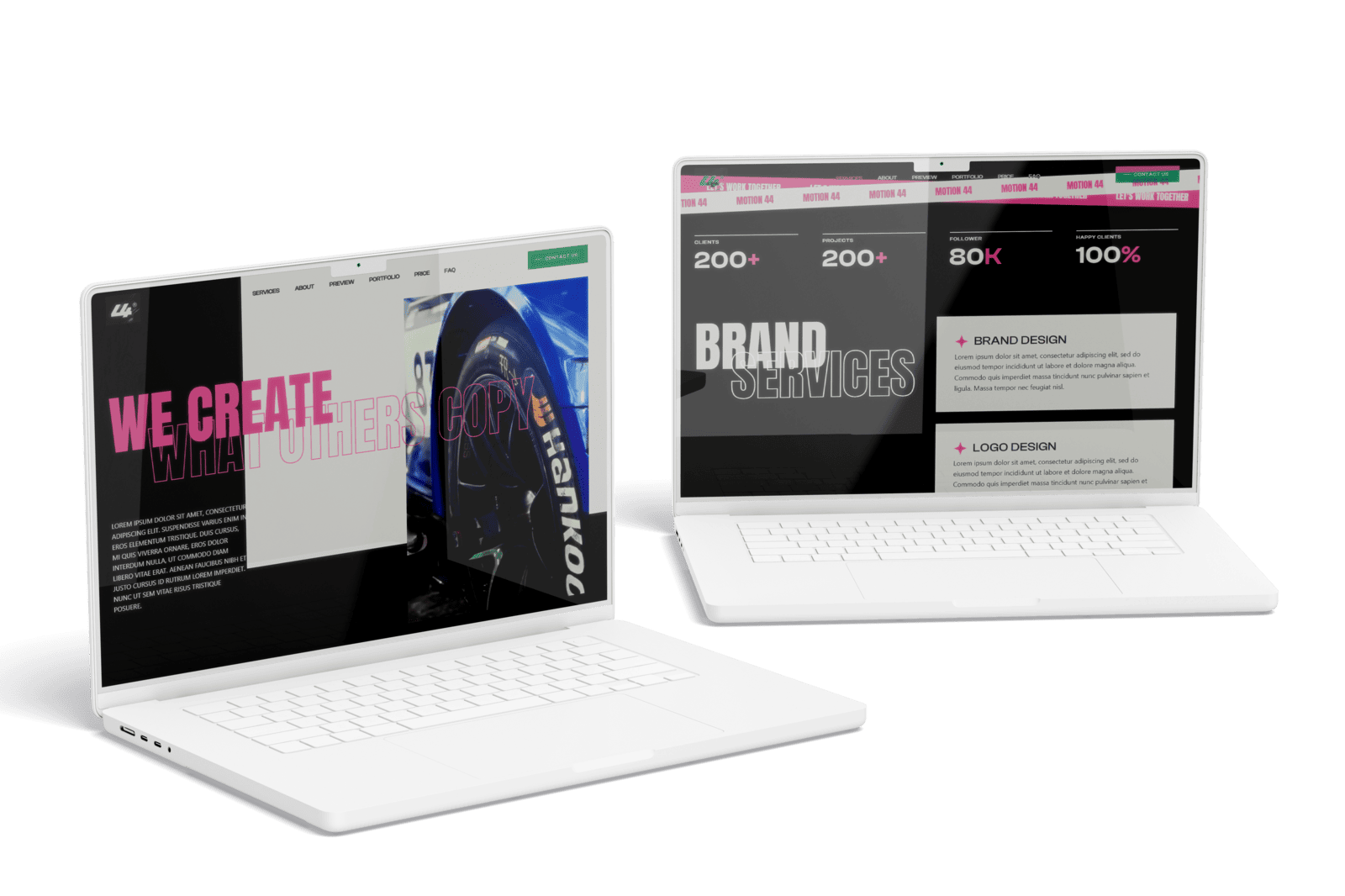
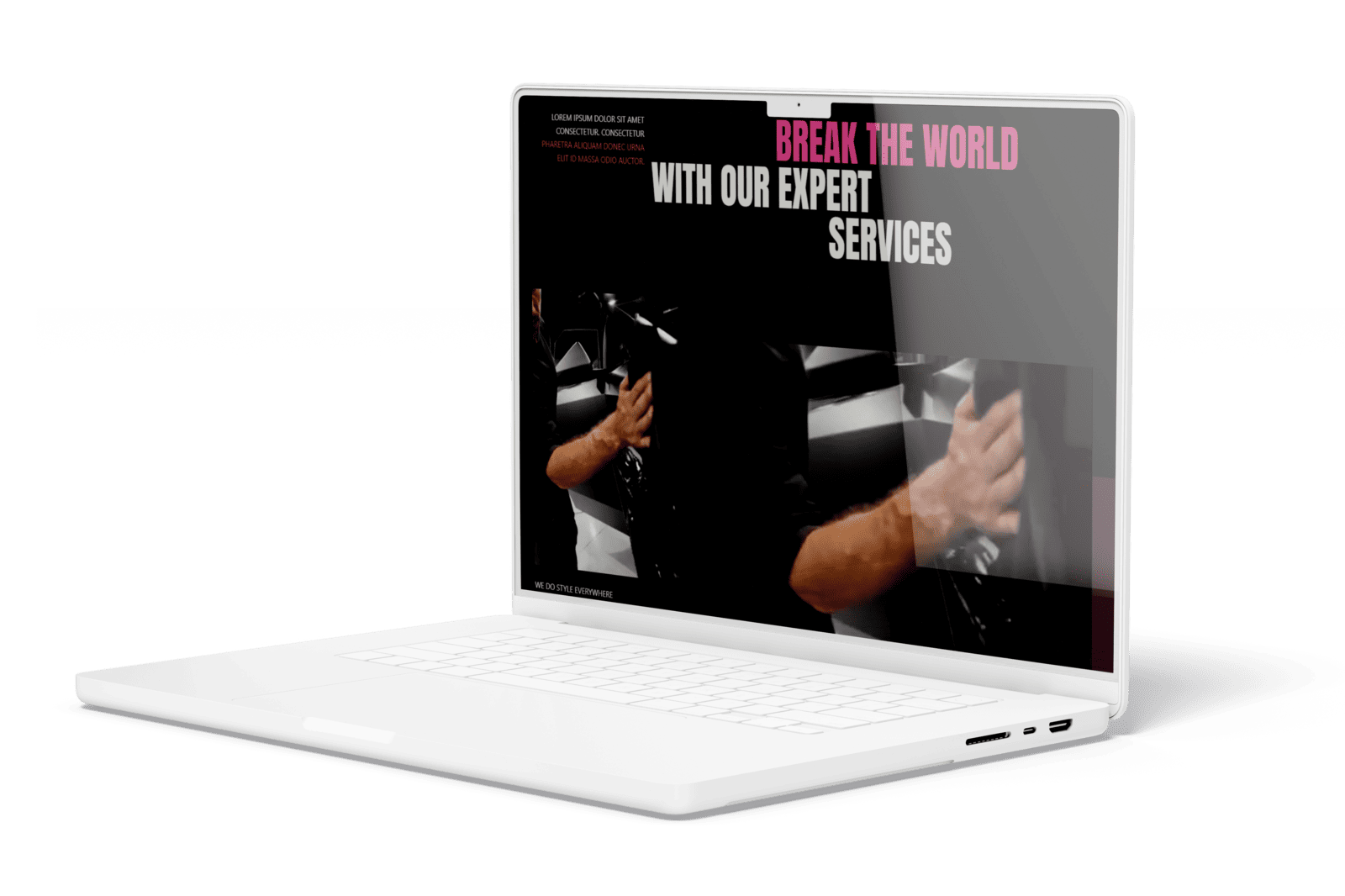
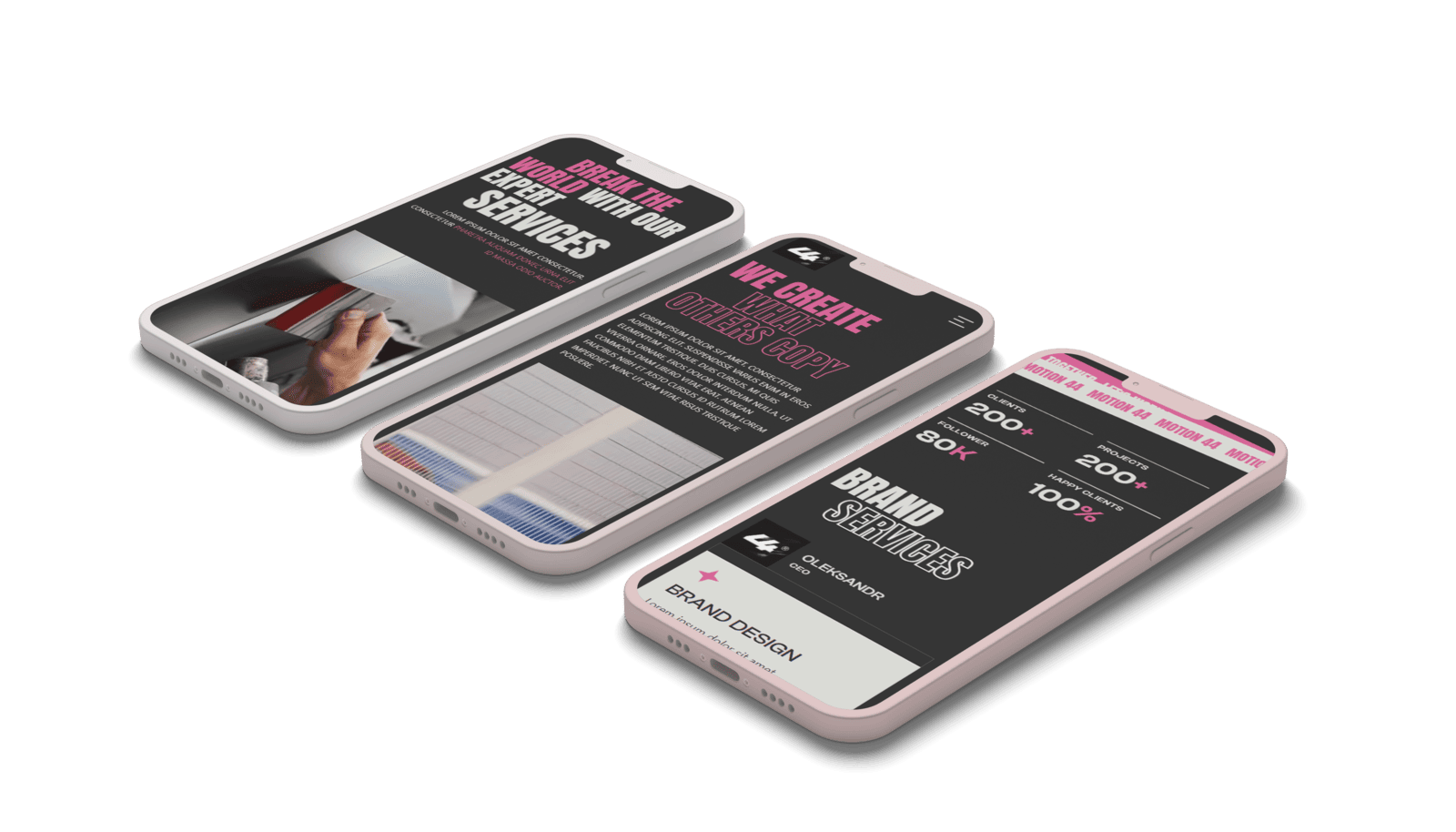
For 44 motion, YAVACADO created a Figma concept and built a Webflow website with custom animations, scroll transitions and video content. The project provides a relevant visual example for discussing the relationship between media, motion and the visitor’s experience.
Check your own website
Your review checklistState the purpose of each animationTest touch and keyboard pathsReview reduced-motion behaviourTry longer real content in animated componentsUse these checks as you review. Selections are not saved.
Put it into practice
A scroll animation reveals every paragraph from opacity zero. What failure should you test?
Show the suggested approach
Test the page when the animation does not initialise and when reduced motion is enabled. The text must still be available. Consider whether a simpler transition with visible default content can achieve the same visual purpose more reliably.
Continue reading
Web Design Trends: How to Choose What Actually Helps Your Website
References
Discuss your website
Bring your current website and the task you want to improve. YAVACADO can help define the content, design and implementation work needed for the next step.
FAQs
Should a business website avoid animation?
Does reduced motion mean no visual changes?
Should animations run every time a section enters view?
Build a Multilingual Webflow Website: Content, Routing and Launch Checks
10/25/25
4
min to read
B2B Comparison Pages: Help Buyers Evaluate the Real Trade-offs
2/23/26
4
min to read
Content for AI Search: Make Your Answers Clear and Verifiable
3/9/26
4
min to read
Web Design Trends: How to Choose What Actually Helps Your Website
4/18/24
4
min to read
Relevant project
Corporate Website for a Video Production Studio
Other
Create compelling and captivating videos and animations with a team that specializes in SaaS video marketing.
44 motion
LET’S WORK TOGETHER
LET’S WORK TOGETHER
LET’S WORK TOGETHER
LET’S WORK TOGETHER
LET’S WORK TOGETHER
LET’S WORK TOGETHER
LET’S WORK TOGETHER
LET’S WORK TOGETHER
Testimonials
What our clients say
A web design agency that cares about you and your brand, no matter the size or what industry your business is in.


YAVACADO turned a complex booking process into one clear platform. Our team can manage tours and content in Webflow, while parents can book and pay securely through WayForPay. The result is easy to operate and built around the needs of the Ukrainian market.

The website captures the premium feel of our brand perfectly. From the design to the multilingual functionality and payment integration, every detail was delivered to a very high standard.

Excellent implementation of our Figma design in Webflow. The final website feels fast, polished, and exactly aligned with the premium fintech experience we wanted.
.png)
The funnel feels significantly more polished than the original concepts and was delivered in a format our internal team could immediately continue working with. Smooth process and excellent execution.

Working with YAVACADO was a fantastic experience. They understood both the technical requirements and the business goals, delivering a fast, polished website that's easy to manage and built to generate qualified leads.

Impressive speed and quality. The landing page was delivered in just hours and looks clean, professional, and ready to use.

The turnaround was incredibly fast, and the result looks clean and professional. The site reflects our firm perfectly and was delivered exactly on time.

The YAVACADO team helped us present FromLab2Jab’s complex services in a clear and professional way. The structure, CMS, and filtering system make it easy for our team to manage and scale the content.

The final website matched the Figma design with impressive accuracy. The animations, sticky sections, and overall Webflow execution made the project feel polished and high-end.
%2520(1).png)
YAVACADO delivered a powerful, scalable platform that fully supports our operations. The CMS structure, CRM integrations, and automation tools significantly improved how we manage inquiries and camp programs.

The phased design and development approach made everything clear and efficient. The team delivered a professional SaaS website on time, and the training support helped us manage content confidently

The platform works exactly as we envisioned — secure, structured, and scalable. Subscription management and report access are fully automated, and everything runs smoothly.

The Webflow build perfectly matches the AI design and feels even better in motion. Everything from CMS to animations works smoothly—great work!


The redesign gave our website a completely new look. The layouts feel modern, the services are presented much clearer, and the site works perfectly on mobile.

The redesign elevated our corporate presence and made content much easier to manage. The Feensweet filtering and CRM integration streamlined our user experience and lead flow — great implementation!

%25201.png)
