


From AI Website Concept to Production: What Still Needs to Be Built

Updated 12 September 2026.
In this guide
- A convincing screenshot does not define a working website.
- Use real content to expose missing states and layout rules.
- Test the complete user journey before calling the build finished.
Separate the visual idea from the working system
An AI-generated page can be a useful starting point for composition, colour and messaging. A polished image, however, cannot tell a developer which sections are reusable, how a long title wraps or what happens when an enquiry fails.
Annotate the concept before building. Identify navigation, content collections, forms and repeated patterns. List what is known and what still needs a decision. This turns “make it look like this” into a brief with clear outcomes and acceptance criteria.
Replace demonstration content early
Use real service names, approved claims, actual project images and representative descriptions. A card that looks balanced with three short words may break with a real client name. A testimonial block may need to disappear when no approved quote exists.
Review generated copy against source material. Remove invented customers, performance figures and product capabilities. Google’s guidance on generative AI content emphasises accuracy and added value. Use automation to support the editorial work, with someone accountable for the final claims.
What a visual concept leaves unansweredAreaDecision still neededEvidence of completionContentWhich claims and assets are approved?Real content in the buildLayoutHow does it adapt and wrap?Tests with narrow and long-content statesCMSWho edits which information?An editor creates a sample itemIntegrationsWhere does the data go?A successful end-to-end testMaintenanceWho owns future changes?A documented handover
Define the rules between screen sizes
For each major section, specify the reading order, maximum content width and stacking behaviour. Decide which images are informative, which are decorative and how cropping should change on mobile.
Build one representative section before the whole site. Try a longer paragraph, a missing image and a narrow viewport. Record the decisions as reusable layout rules. This usually reveals more than generating additional static mockups of the same ideal content.
Practical takeaway: Use AI to accelerate exploration, then make the production decisions explicit.
Give content and integrations an owner
A project gallery needs fields, relationships and an editorial workflow. A lead form needs validation, a destination and an understandable success state. A third-party widget needs a failure plan if its service is unavailable.
Create a simple system map: what lives in the CMS, what lives in the CRM and what is calculated elsewhere. Test one complete path with representative data. Do not use a successful visual preview as proof that a form, payment or account workflow is connected.
Agree on launch evidence
Define completion through observable behaviour. A keyboard user can reach the navigation and submit the form. An editor can add a case study. The page remains readable when an optional image is missing. Errors do not silently discard a visitor’s input.
AI-generated code should receive the same review as code written by a person: check the dependencies, data handling and expected behaviour. Keep changes traceable and document any custom feature the next maintainer will need to understand. The final handover should explain how the website works, not just how the original concept was produced.
A related YAVACADO project
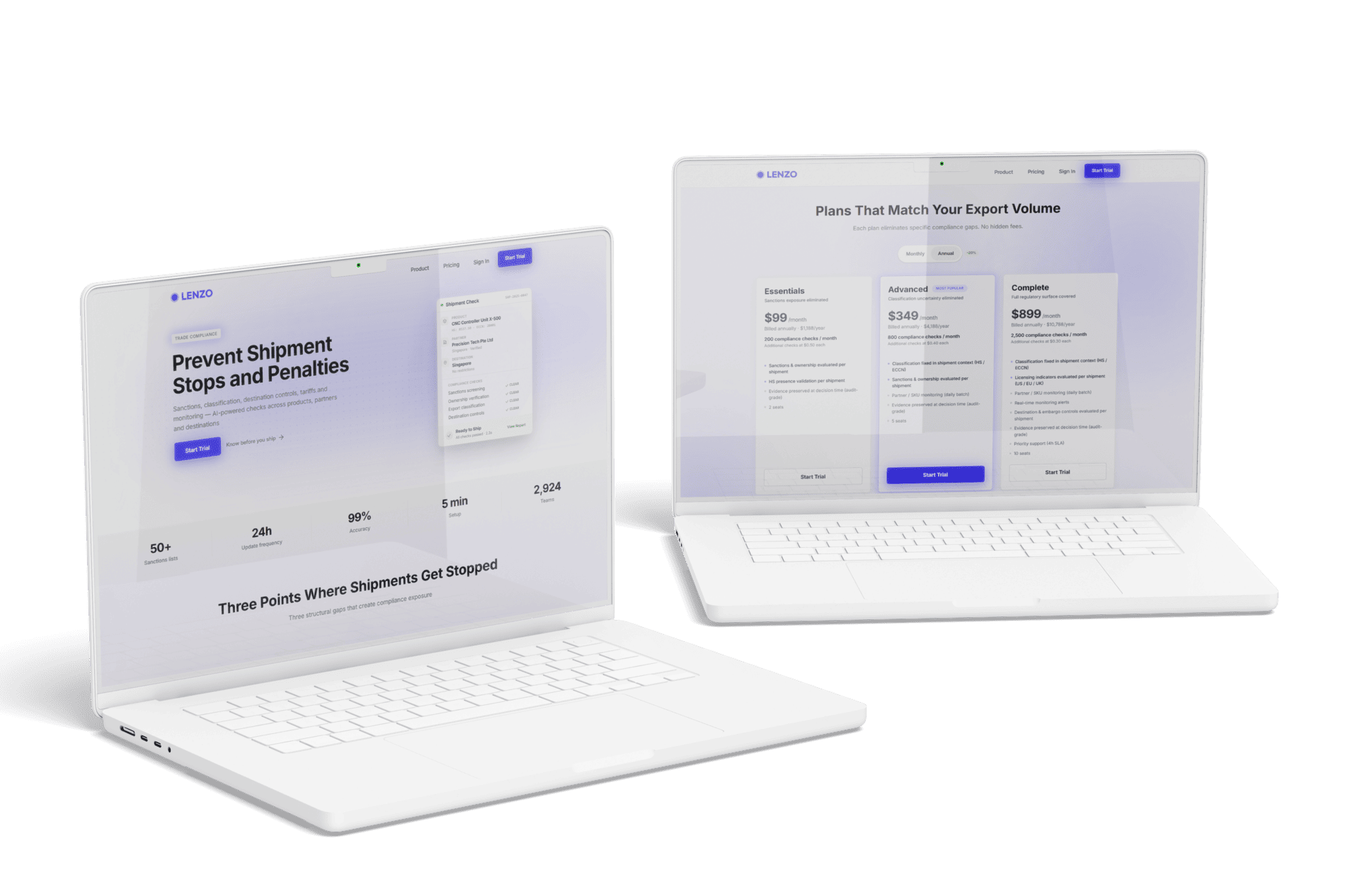
LENZO started with an AI-generated visual concept. YAVACADO translated it into Webflow while adding CMS collections, interactions and integrations that the concept did not define. The project is an example of the implementation work that sits between a visual direction and an operational website.
The Webflow build perfectly matches the AI design and feels even better in motion.
Client feedback from LENZO.
Your next check
Mark each item as you check it. Ticks last for this page visit.
Replace sample copy with approved content.Define layout rules for each breakpoint.Complete one real integration test.Hand over the CMS and custom-feature documentation.
Put it into practice
Test the concept’s weakest assumption
Choose the section with the most uncertain behaviour. Build it with the longest realistic content and a missing optional field before approving the remaining pages.
Continue with a related guide
- Web Design Trends: How to Choose What Actually Helps Your Website
- Figma to Webflow: A Reliable Handoff and Import Workflow
Official references
Discuss your website
Turn your AI-generated concept into a structured, maintainable Webflow website.
FAQs
Can an AI-generated image be used as the only build brief?
Does generated code remove the need for testing?
What is the best first implementation step?
A Website Analytics Plan: Measure the Journey to a Useful Enquiry
Webflow Conf 2026: What to Use Now and What to Watch
A Blog Publishing Checklist That Catches More Than Typos
Figma to Webflow: A Reliable Handoff and Import Workflow
Relevant project
Our services
Lenzo: AI-Generated Design Built in Webflow
Location
Wrldwide
Company
Lenzo
Release date
February 19, 2026
Testimonials
What our clients say




We hired YAVACADO to design our company's website, and the entire process went exceptionally well. They worked at a record pace and delivered outstanding results.







You did a great job! We have acquired a stable and reliable partner to manage our website.

Very helpful in getting our website up to spec, very patient in helping us with compromises etc. Would recommend to anyone!

YAVACADO turned a complex booking process into one clear platform. Our team can manage tours and content in Webflow, while parents can book and pay securely through WayForPay. The result is easy to operate and built around the needs of the Ukrainian market.

Working with the YAVACADO web development team was an exceptional experience. Their ability to deliver a fully functional, SEO-optimized real estate website exceeded our expectations.

YAVACADO turned our technical equipment catalog into a clear, professional website that our team can manage. The CMS and CRM integration make it easier to present products, process enquiries, and support clinics from the first contact.


Working with YAVACADO was a fantastic experience. They understood both the technical requirements and the business goals, delivering a fast, polished website that's easy to manage and built to generate qualified leads.

Excellent implementation of our Figma design in Webflow. The final website feels fast, polished, and exactly aligned with the premium fintech experience we wanted.

The final website matched the Figma design with impressive accuracy. The animations, sticky sections, and overall Webflow execution made the project feel polished and high-end.

The website captures the premium feel of our brand perfectly. From the design to the multilingual functionality and payment integration, every detail was delivered to a very high standard.