
YAVACADO turned our technical equipment catalog into a clear, professional website that our team can manage. The CMS and CRM integration make it easier to present products, process enquiries, and support clinics from the first contact.
4
min to read
A Webflow Performance Audit: Find the Cause Before Changing the Page

Web development
Educational
Explore all
December 22, 2025
Use loading, responsiveness and layout stability evidence to prioritise performance fixes, then verify changes on the pages that matter.
In this article
Reviewed 12 September 2026.
A low performance score tells you where to investigate. It does not tell you which element to delete. Start with the visitor’s experience, inspect the likely cause and make one measurable change at a time.
Choose representative pages and conditions
Include a homepage, a service page, a content template and a page with substantial media or integrations. Record the device, network conditions and test date. Run comparable tests rather than comparing a fast desktop result with a slower mobile result.
Write down the symptom in everyday language: the main image appears late, the menu responds slowly, or content moves while reading. This connects the diagnostic work to a real problem and prevents the team from optimising a score while missing the behaviour that interrupts a visitor.
Read the three metrics in context
Google’s Core Web Vitals cover loading through LCP, responsiveness through INP and layout stability through CLS. Good thresholds are LCP at or below 2.5 seconds, INP at or below 200 milliseconds and CLS at or below 0.1, assessed at the 75th percentile of visits.
Lab tests help investigate a repeatable page load. Field data represents actual visitors and may tell a different story. Do not describe a single laboratory run as proof that all users have a good experience. A low-traffic page may also lack enough field data for a useful page-level assessment.
Performance symptoms and first investigationsSymptomPossible cause to investigateUseful comparisonMain content arrives lateLarge asset or delayed resource discoverySame page with an optimised main assetInteraction feels delayedHeavy work from scriptsSame action with the suspected script removedContent jumpsSpace not reserved for mediaSame layout with explicit media dimensionsOnly one template is slowTemplate-specific embed or contentComparable pages using different templates
Investigate the largest practical causes
For late loading, inspect the main visible asset and the resources required before it appears. For sluggish interaction, examine third-party scripts and work happening around the action. For shifting content, look for media or embeds without reserved space.
Make a small test version when possible. Compare a page with and without a suspected widget under the same conditions. If the change helps, consider whether the widget can load later, appear only where needed or be replaced with a simpler presentation. Preserve the business function while reducing the cost of delivering it.
Record the result and prevent regressions
Keep a change log with the page, symptom, modification and before-and-after evidence. Retest the affected journey, including forms and media controls. A faster page with a broken enquiry route is not a successful improvement.
Give new embeds an owner and a reason to exist. When a campaign ends, review whether its script should remain. Include performance in template checks so a newly uploaded image or added video does not quietly undo earlier work. The goal is a maintainable page that feels reliable to its audience.
Measure the effect of a change under comparable conditions before calling it an improvement.
A related YAVACADO project
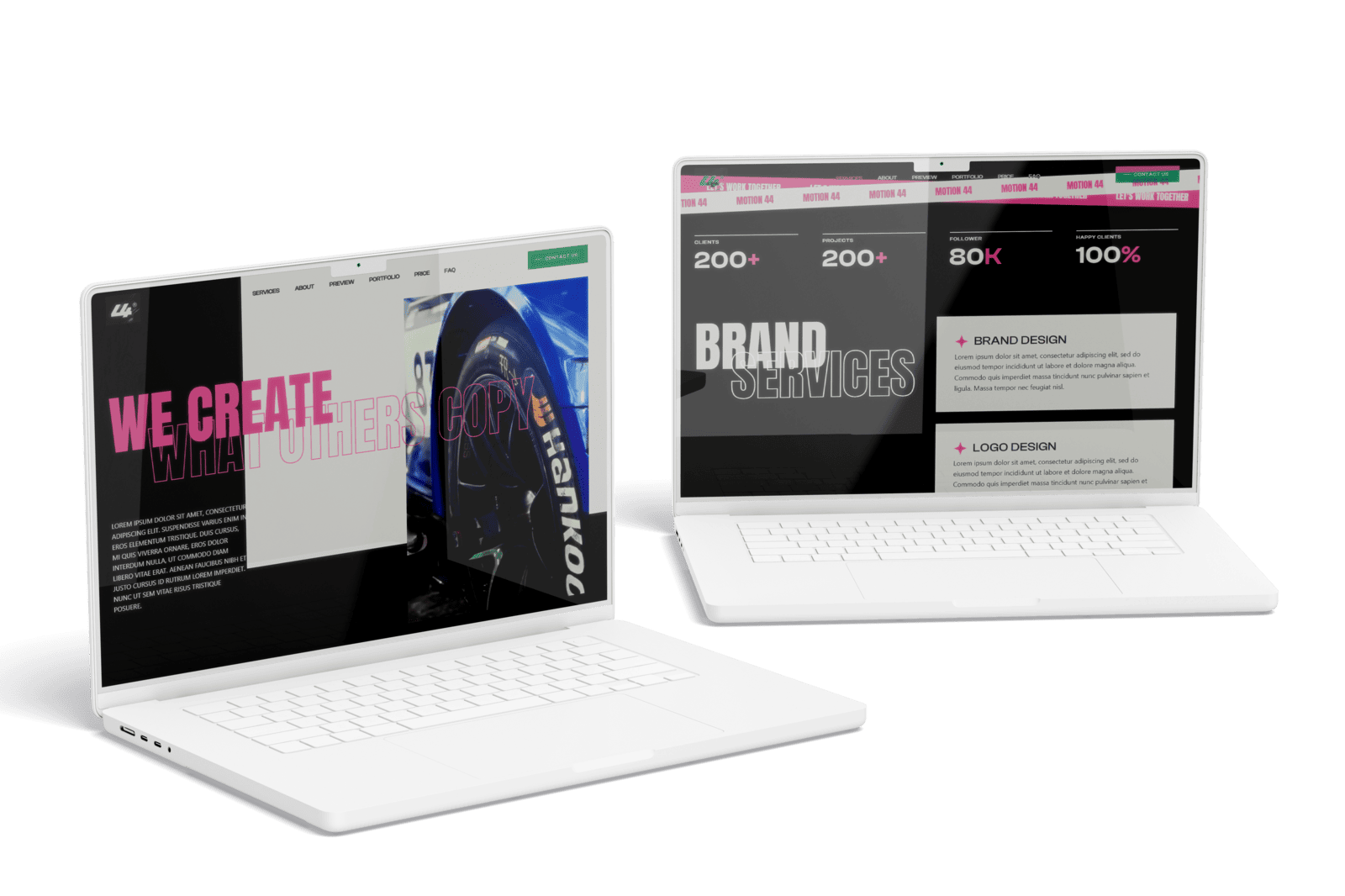
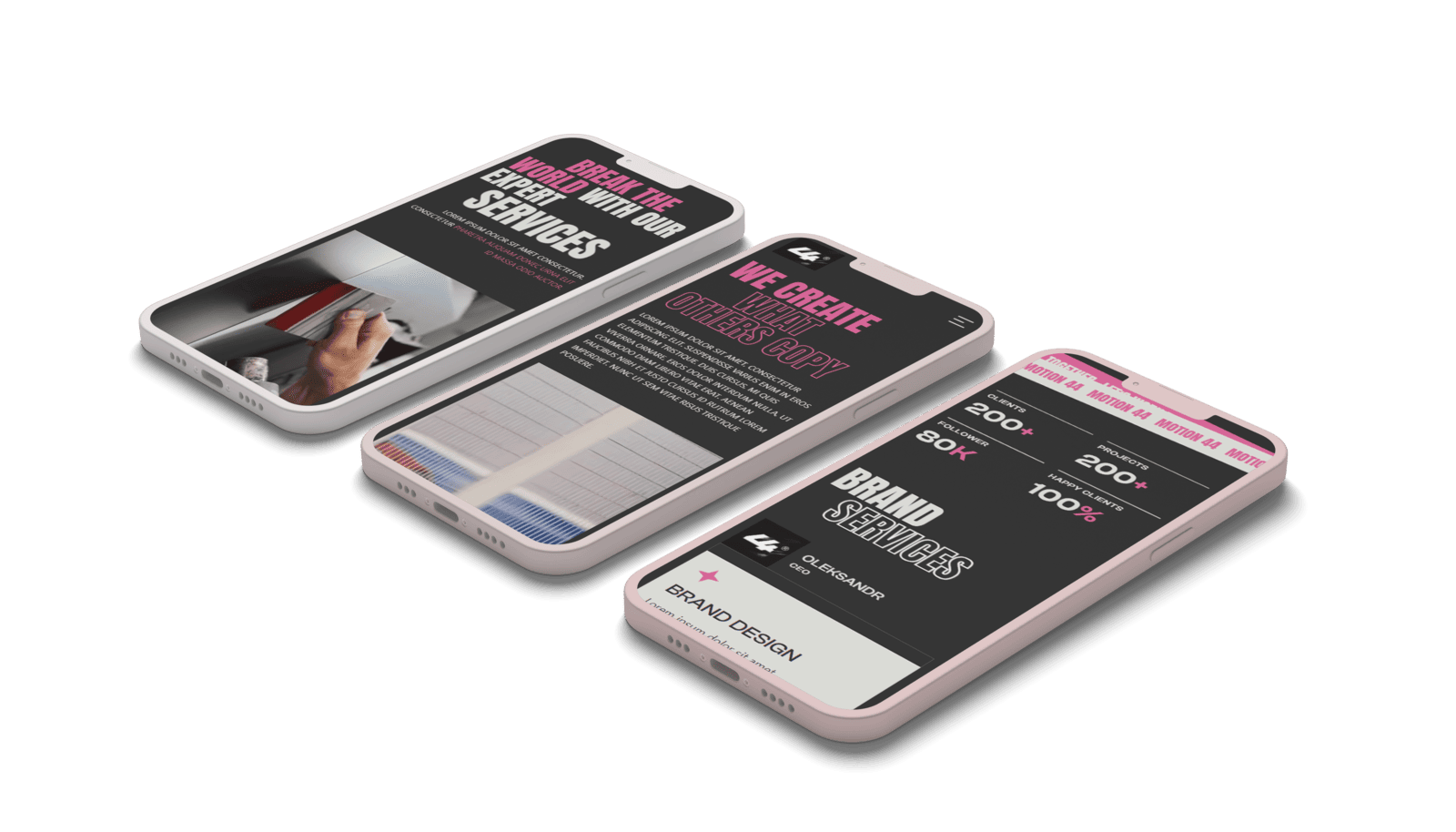
For 44 motion, YAVACADO created a Figma concept and built a Webflow website with custom animations, scroll transitions and video content. The project provides a relevant visual example for discussing the relationship between media, motion and the visitor’s experience.
Check your own website
Your review checklistSelect representative templatesRecord test conditionsInvestigate one symptom at a timeRetest the complete visitor journeyUse these checks as you review. Selections are not saved.
Put it into practice
The homepage scores well in a desktop lab test, but mobile visitors report a slow menu. What should you inspect?
Show the suggested approach
Reproduce the menu interaction on a representative mobile device and inspect the work occurring around that interaction. A desktop loading score does not resolve a mobile responsiveness complaint. Compare the behaviour before and after a targeted change.
Continue reading
Webflow SEO Checklist: Audit the Template, Content and Enquiry Journey
References
Discuss your website
Bring your current website and the task you want to improve. YAVACADO can help define the content, design and implementation work needed for the next step.
FAQs
Does a perfect score guarantee a fast website?
Should every image load lazily?
How often should we check performance?
Webflow Variable Modes: Create a Theme You Can Maintain
1/15/25
4
min to read
B2B Website Navigation: Help Buyers Find the Right Next Page
11/17/25
4
min to read
SEO Basics: Turn Customer Questions into Useful Website Pages
10/2/23
4
min to read
Webflow MCP: Choose Your First AI Agent Task for the CMS
9/24/26
6
min to read
Relevant project
Corporate Website for a Video Production Studio
Other
Create compelling and captivating videos and animations with a team that specializes in SaaS video marketing.
44 motion

LET’S WORK TOGETHER
LET’S WORK TOGETHER
LET’S WORK TOGETHER
LET’S WORK TOGETHER
LET’S WORK TOGETHER
LET’S WORK TOGETHER
LET’S WORK TOGETHER
LET’S WORK TOGETHER
Testimonials
What our clients say
A web design agency that cares about you and your brand, no matter the size or what industry your business is in.


YAVACADO turned a complex booking process into one clear platform. Our team can manage tours and content in Webflow, while parents can book and pay securely through WayForPay. The result is easy to operate and built around the needs of the Ukrainian market.

The website captures the premium feel of our brand perfectly. From the design to the multilingual functionality and payment integration, every detail was delivered to a very high standard.

Excellent implementation of our Figma design in Webflow. The final website feels fast, polished, and exactly aligned with the premium fintech experience we wanted.
.png)
The funnel feels significantly more polished than the original concepts and was delivered in a format our internal team could immediately continue working with. Smooth process and excellent execution.

Working with YAVACADO was a fantastic experience. They understood both the technical requirements and the business goals, delivering a fast, polished website that's easy to manage and built to generate qualified leads.

Impressive speed and quality. The landing page was delivered in just hours and looks clean, professional, and ready to use.

The turnaround was incredibly fast, and the result looks clean and professional. The site reflects our firm perfectly and was delivered exactly on time.

The YAVACADO team helped us present FromLab2Jab’s complex services in a clear and professional way. The structure, CMS, and filtering system make it easy for our team to manage and scale the content.

The final website matched the Figma design with impressive accuracy. The animations, sticky sections, and overall Webflow execution made the project feel polished and high-end.
%2520(1).png)
YAVACADO delivered a powerful, scalable platform that fully supports our operations. The CMS structure, CRM integrations, and automation tools significantly improved how we manage inquiries and camp programs.

The phased design and development approach made everything clear and efficient. The team delivered a professional SaaS website on time, and the training support helped us manage content confidently

The platform works exactly as we envisioned — secure, structured, and scalable. Subscription management and report access are fully automated, and everything runs smoothly.

The Webflow build perfectly matches the AI design and feels even better in motion. Everything from CMS to animations works smoothly—great work!


The redesign gave our website a completely new look. The layouts feel modern, the services are presented much clearer, and the site works perfectly on mobile.

The redesign elevated our corporate presence and made content much easier to manage. The Feensweet filtering and CRM integration streamlined our user experience and lead flow — great implementation!

%25201.png)
