
YAVACADO turned our technical equipment catalog into a clear, professional website that our team can manage. The CMS and CRM integration make it easier to present products, process enquiries, and support clinics from the first contact.
4
min to read
Build a Multilingual Webflow Website: Content, Routing and Launch Checks
About tools
Educational
Web development
Explore all
October 25, 2025
Plan a multilingual website around complete customer journeys, with clear translation ownership, locale navigation and a manageable rollout.
In this article
Updated 12 September 2026.
In this guide
- Launch complete journeys in selected languages rather than partial translations everywhere.
- Assign ownership for ongoing translations and content changes.
- Test the language switcher on specific pages, not only the homepage.
Choose the first market and journey
A translated homepage does not make a complete multilingual experience. A visitor may also need a service explanation, a relevant case study, a contact form and a confirmation message in the same language.
Choose the first language based on actual customer needs and the team’s ability to support it. Map the journey from arrival to enquiry. Identify which pages and messages must be ready together, and which content can remain outside the initial launch scope.
Prepare the source content
Approve the original copy before translating it. Resolve vague terminology, outdated claims and inconsistent product names. Provide translators with the intended audience and the context of buttons, labels and error messages.
Create a short terminology list for words that must stay consistent across the site. Include brand names, service names and specialised terms. This reduces the chance that two sections describe the same offer differently after translation.
A multilingual launch reviewAreaCheck in each languageOwnerCore contentOffer and claims are approvedContent leadNavigationEquivalent pages and fallback workImplementation teamCMSRecurring content is translated and reviewedEditorSEO fieldsPublished text and locale signals are correctSEO or site ownerFormsLabels, errors and confirmations are translatedImplementation and content teamsResponseThe enquiry reaches someone who can helpSales or support
Plan CMS and editorial ownership
Identify the recurring records that need localisation: articles, projects, services and navigation labels. Decide who translates new content, who reviews it and how an update to the source language is communicated.
Use a small status sheet during the rollout to distinguish content that is translated, reviewed and tested. Do not use publication as a substitute for approval. A page can look complete while containing an untranslated form response or an outdated local offer.
Practical takeaway: Translate the customer journey, not just the visible paragraphs.
Check locale navigation and search signals
Webflow can provide locale-aware page links and hreflang signals, subject to the site’s settings and configuration. Its localised SEO and routing documentation describes the current behaviour.
Test the language switcher while viewing a service page and a CMS article. Verify the destination when an equivalent page exists and when it does not. Check published titles, descriptions and language settings. Review any custom URL links that might bypass the intended locale-aware navigation.
Review layout and the full conversion path
Translated text often changes length. Inspect navigation, cards, buttons and tables using the real copy. Keep important text out of images wherever possible so it can be maintained in the content workflow.
Submit the contact form in each launch language and inspect the confirmation, notification and destination. Confirm who will respond and in which language. The website’s language promise should remain true after the visitor leaves the page.
Keep translations current after launch
Assign an owner to review which translations are affected by each source-content change. Link this check to the normal editorial process, not an occasional separate cleanup.
Track enquiries and questions by language where the measurement setup supports it. Use that evidence to decide which content to expand next. Launching fewer complete journeys is often easier to maintain than spreading incomplete translations across every page.
A related YAVACADO project
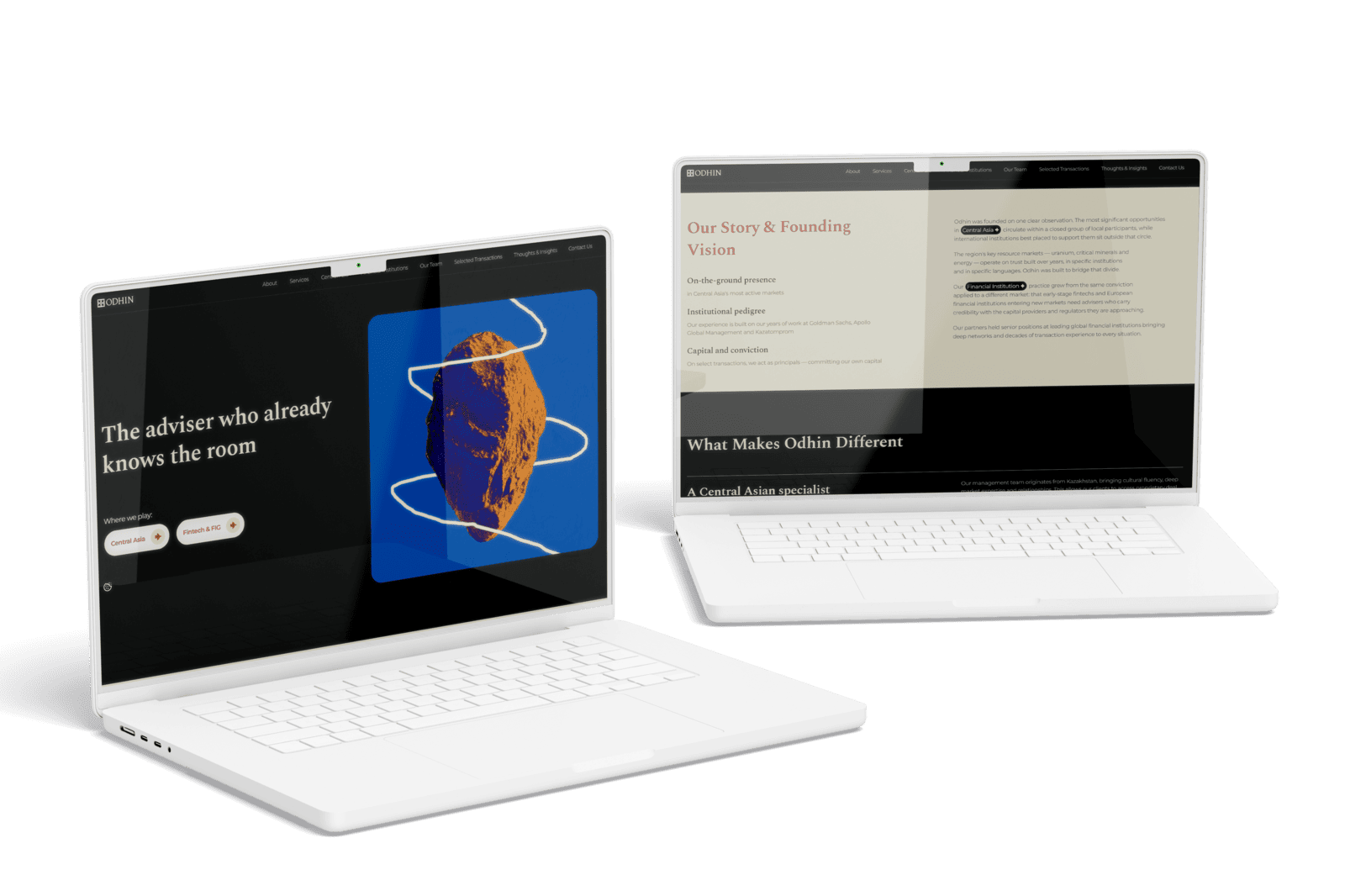
ODHIN needed a fifteen-page corporate Webflow site with CMS content and preparation for multilingual support. YAVACADO structured the build for localisation and geo-based delivery. This illustrates why future languages belong in the architecture discussion before a rollout begins.
Your next check
Mark each item as you check it. Ticks last for this page visit.
Choose a complete first-language journey.Approve a terminology list.Test locale switching on a CMS page.Submit a form in each launch language.Assign translation maintenance ownership.
Put it into practice
Test the missing translation
Open a page that has no equivalent in the second language, then use the language switcher. Confirm that the destination is intentional and understandable instead of assuming the visitor stays on equivalent content.
Continue with a related guide
- Webflow CMS: Build a Content Library Your Marketing Team Can Run
- Webflow SEO Checklist: Audit the Template, Content and Enquiry Journey
Official references
Discuss your website
Plan a multilingual website with complete journeys and clear editorial ownership.
FAQs
Should we translate every page before launching?
Does automatic translation replace review?
What should we test besides the page text?
Website Enquiry Forms: Ask Better Questions and Reduce Friction
12/15/25
4
min to read
Webflow Variable Modes: Create a Theme You Can Maintain
1/15/25
4
min to read
A Blog Publishing Checklist That Catches More Than Typos
1/12/26
4
min to read
Website First Impressions: Design for Clarity, Trust and the Next Step
9/18/23
4
min to read
Relevant project
Corporate Website with CMS and Localization, 15 Pages
We offer services that can help businesses improve their visibility and business reputation
Other
We developed a 15-page corporate website for Odhin, an advisory firm that helps institutional investors access Kazakhstan and Central Asia and introduces capital to early-stage fintechs. The build followed a near-complete Figma design, with CMS for insights and research, technical SEO and a structure ready for Russian localization.
ODHIN


Testimonials
What our clients say
A web design agency that cares about you and your brand, no matter the size or what industry your business is in.

YAVACADO turned a complex booking process into one clear platform. Our team can manage tours and content in Webflow, while parents can book and pay securely through WayForPay. The result is easy to operate and built around the needs of the Ukrainian market.

The website captures the premium feel of our brand perfectly. From the design to the multilingual functionality and payment integration, every detail was delivered to a very high standard.

Excellent implementation of our Figma design in Webflow. The final website feels fast, polished, and exactly aligned with the premium fintech experience we wanted.

The funnel feels significantly more polished than the original concepts and was delivered in a format our internal team could immediately continue working with. Smooth process and excellent execution.

Working with YAVACADO was a fantastic experience. They understood both the technical requirements and the business goals, delivering a fast, polished website that's easy to manage and built to generate qualified leads.

Impressive speed and quality. The landing page was delivered in just hours and looks clean, professional, and ready to use.

The turnaround was incredibly fast, and the result looks clean and professional. The site reflects our firm perfectly and was delivered exactly on time.