


Client-First in Webflow: Build a Page the Next Person Can Understand

Updated 12 September 2026.
In this guide
- Learn the underlying layout concepts before adopting a naming system.
- Use global utilities for genuinely shared decisions.
- Test maintainability by asking another person to make a small change.
Understand the purpose of the system
Client-First is Finsweet’s approach to organising Webflow projects. Its value is predictability: names and structure should help another person understand what an element does and what a style change will affect.
It is not a substitute for understanding HTML and CSS. Before adopting it, be comfortable with the box model, inheritance and responsive layout. Use the official documentation as the reference for the system, then document any intentional project-specific choices.
Build a clear outer structure
Finsweet’s core structure distinguishes the outer page wrapper, main content, sections, horizontal padding and width containers. Familiar names include page-wrapper, main-wrapper, padding-global and container-large.
Build one simple service page and give each wrapper a clear job. Do not add a wrapper merely because another project used one. Inspect the page in the Navigator and explain each layer in one sentence. If two layers always perform the same role, review whether both are necessary.
Decide where a styling rule belongsRequirementLikely ownerQuestion to askSite-wide body textBase tag or shared typography ruleShould all body copy change together?Card layoutCard-specific classDoes this rule belong to this pattern?Reusable alignmentA clearly scoped utilityIs the behaviour consistent everywhere?One card variationA documented combo variationWhat changes from the base card?Content valueCMS or component propertyShould editors change it without styling?
Choose between shared and specific styling
Use a shared class for a rule intended to remain consistent across the site. Use a component-specific class when the style belongs to a particular visual pattern. Finsweet distinguishes custom class names with an underscore and uses an is- prefix for combo variations.
The naming convention is the beginning of the decision, not the whole decision. A small colour utility should not quietly change layout. A card-specific class should not become the hidden owner of typography across unrelated pages. Write down what each shared pattern is allowed to control.
Practical takeaway: A class name is useful when it tells the next person what a change will affect.
Practise on a repeated section
Create a service card with a title, short description and link. Duplicate it with a longer title and a two-line description. Decide which spacing and type choices belong to the system and which belong only to the card.
Change the shared text style and inspect every card. Then change the card’s layout and confirm unrelated content remains unchanged. This is a useful way to learn the scope of a rule without building a large library first.
Make handover part of the exercise
Ask another contributor to add a card, adjust a section’s spacing and change the link destination. They should be able to locate the relevant class or field without a guided tour of every element.
Record the few decisions that are specific to your project: container widths, component naming, spacing approach and supported variations. Avoid documenting every click in the interface. The handover should help a person make a safe change and know when a change affects the whole website.
A related YAVACADO project
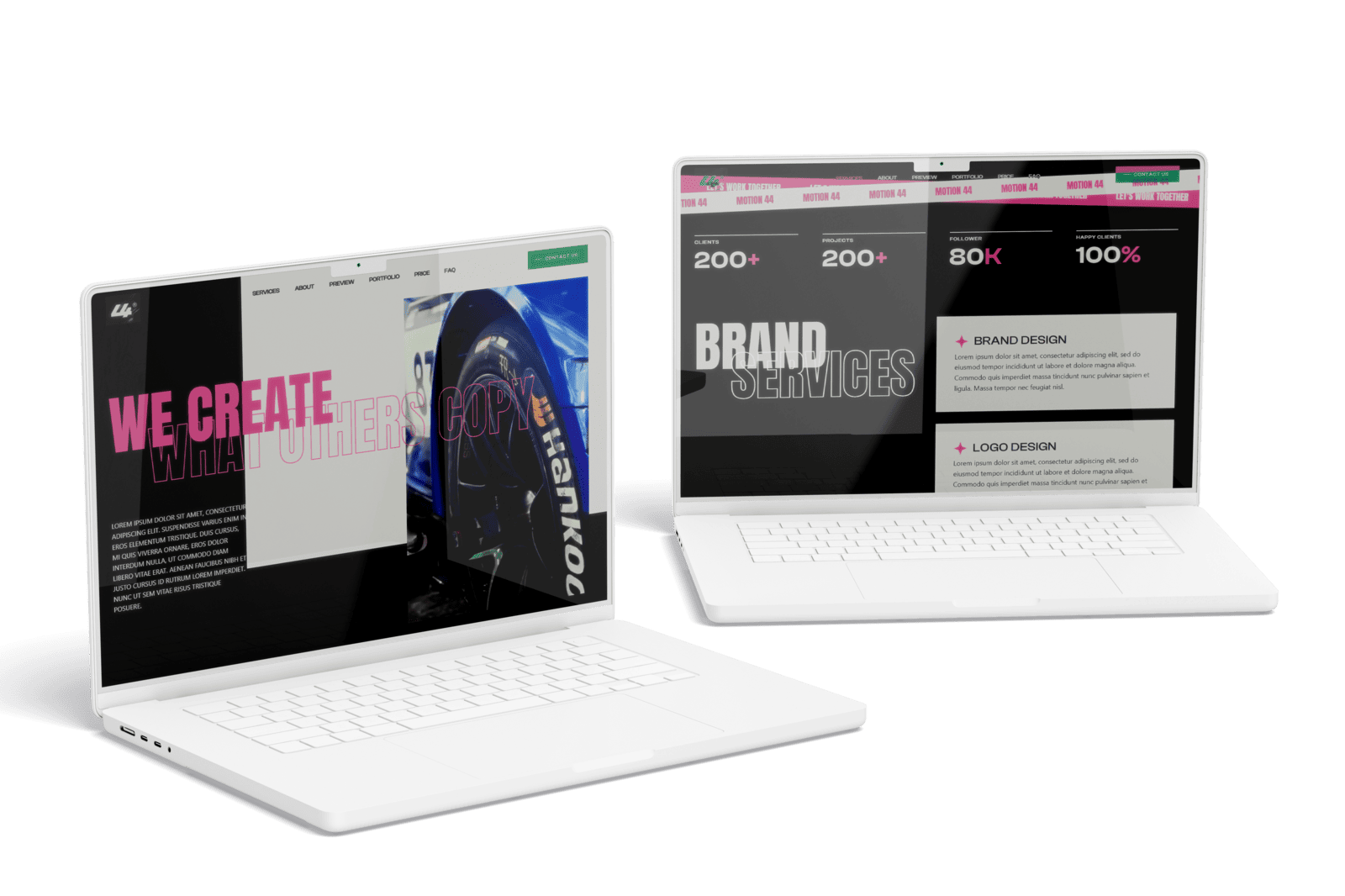
YAVACADO built 44 Motion’s Webflow website using Client-First, alongside custom animations and scroll transitions. The shared conventions provided an organising structure for a visually expressive site. They do not remove the need to document the project’s custom behaviour.
The YAVACADO understood our vision perfectly and was quick to make any adjustments we needed, ensuring the final product met all our expectations.
Client feedback from 44 motion.
Your next check
Mark each item as you check it. Ticks last for this page visit.
Explain the role of each wrapper.Separate global rules from component-specific layout.Test repeated elements with different content lengths.Ask another contributor to make a small change.
Put it into practice
Audit one unexpected style change
Find an element whose appearance changes unexpectedly. Trace the class, combo class and inherited styles before adding a new override. Fix the owning rule when that is the real problem.
Continue with a related guide
- Build a Webflow Design System: Tokens, Components and Real Content
- Figma to Webflow: A Reliable Handoff and Import Workflow
Official references
Discuss your website
Build a Webflow project with a structure your next contributor can understand.
FAQs
Do I need to understand CSS before using Client-First?
Should every element receive a utility class?
Can Client-First be used on an existing site?
Shopify Metafields: Build Consistent Product Information Step by Step
Webflow MCP: Choose Your First AI Agent Task for the CMS
Webflow Conf 2024: The Announcements and the Questions to Ask Before Adopting Them
Build a Webflow Design System: Tokens, Components and Real Content
Relevant project
Our services
44 Motion: Video Production Studio Website in Webflow
Location
Ukraine
Company
44 Motion
Release date
November 13, 2024
Testimonials
What our clients say


We hired YAVACADO to design our company's website, and the entire process went exceptionally well. They worked at a record pace and delivered outstanding results.


You did a great job! We have acquired a stable and reliable partner to manage our website.

Very helpful in getting our website up to spec, very patient in helping us with compromises etc. Would recommend to anyone!

YAVACADO turned a complex booking process into one clear platform. Our team can manage tours and content in Webflow, while parents can book and pay securely through WayForPay. The result is easy to operate and built around the needs of the Ukrainian market.

Working with the YAVACADO web development team was an exceptional experience. Their ability to deliver a fully functional, SEO-optimized real estate website exceeded our expectations.

YAVACADO turned our technical equipment catalog into a clear, professional website that our team can manage. The CMS and CRM integration make it easier to present products, process enquiries, and support clinics from the first contact.


Working with YAVACADO was a fantastic experience. They understood both the technical requirements and the business goals, delivering a fast, polished website that's easy to manage and built to generate qualified leads.

Excellent implementation of our Figma design in Webflow. The final website feels fast, polished, and exactly aligned with the premium fintech experience we wanted.

The final website matched the Figma design with impressive accuracy. The animations, sticky sections, and overall Webflow execution made the project feel polished and high-end.

The website captures the premium feel of our brand perfectly. From the design to the multilingual functionality and payment integration, every detail was delivered to a very high standard.